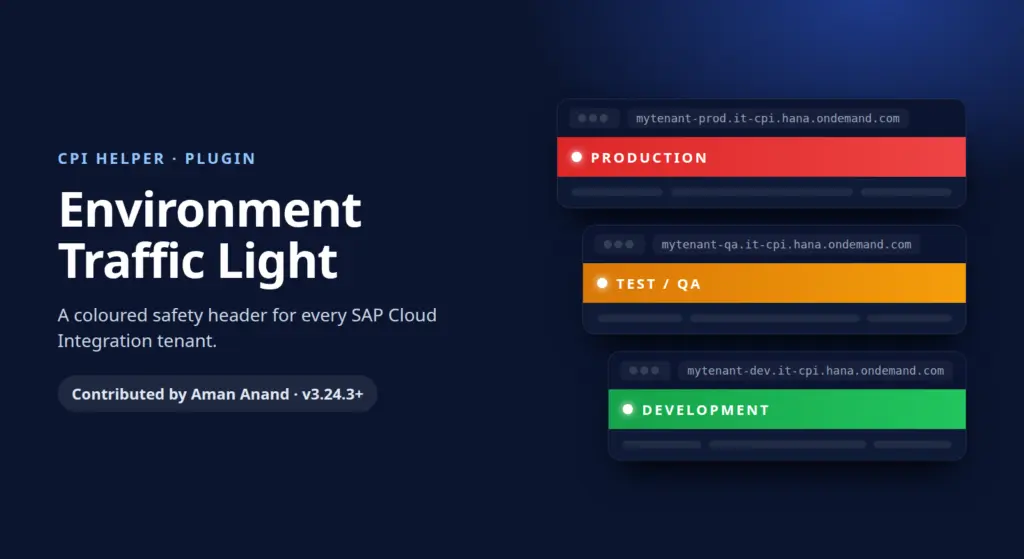
As SAP Integration consultants we often have Development, Test and Production tenants open side by side. The tabs look identical, and the only clue to where you are is a long tenant URL. One rushed click on Deploy in the wrong tab can change a live interface.
To remove that risk I built the Environment Traffic Light plugin and contributed it to CPI Helper, the open-source browser extension for SAP Integration Suite (Cloud Integration). The pull request (#304) was merged in January 2026 and shipped to users from version 3.24.3. It is still part of CPI Helper 4.0.
What it does
The plugin reads the URL of the CPI tenant you have open and adds a coloured safety header to the page:
- 🔴 Red, Production: high alert. Matches
prod,production,prd,live. - 🟠 Orange, Test/QA: caution. Matches
test,tst,qa,quality,uat,stage,staging,pre-prod. - 🟢 Green, Development: safe to experiment. Matches
dev,development,sandbox,sbx,poc,demo.
If none of the keywords match, the page stays neutral.
Why it matters
- Prevents “prod” accidents: you see at a glance which environment you are in, even when switching tabs quickly.
- Zero configuration: it works out of the box with common tenant naming patterns.
- Adapts to your landscape: if your tenants use other names, add your own comma-separated keywords for each colour in the CPI Helper plugin settings.
How to use it
- Install CPI Helper from the Chrome Web Store, Edge Add-ons or Firefox Add-ons.
- Open the CPI Helper plugin settings and enable Environment Traffic Light.
- Optionally add your own keywords for Production, Test/QA and Development.
Thanks to the CPI Helper maintainers for reviewing and merging the contribution. The full source code is on GitHub: plugins/environmentTrafficLight.js.